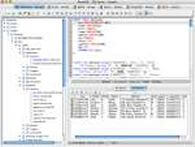
Informix Database Query Tool Features
The Informix database query tool features provided by RazorSQL include a custom Informix database browser tailored to Informix, an SQL editor with Informix specific features and syntax highlighting, custom Informix visual tools, and Informix specific database administration tools. Listed below are more details on these features.

- An Informix create table tool that generates Informix specific create table SQL that includes such elements as column names, column types, column lengths or precisions, column scales, nullability, unique constraints, default values, and the ability to add check constraints.
- Informix Database Backup Tools for backing up entire Informix databases or single Informix tables.
- An Informix create view tool that generates the SQL for creating Informix views
- An Informix create index tool that generates the SQL for creating Informix indexes and includes elements such as index name, uniqueness, and columns
- An Informix create sequence tools that generates the SQL for creating Informix sequences
- An Informix create procedure tool for generating the SQL to create Informix procedures
- An Informix create function tool for generating the SQL to create Informix functions
- An Informix create trigger tool for generating the SQL to create Informix triggers
- An Informix alter table tool for generating the SQL to alter Informix tables with such options as add column, add primary key, add foreign key, add constraint, drop column, and drop constraint
- An Informix alter view tool for generating the SQL to alter Informix views
- SQL Drop Tools for dropping tables, views, indexes, procedures, functions, and triggers for Informix
- A visual edit table tool for visually editing Informix tables in a spreadsheet format
- Tools for editing functions, procedures, and triggers for Informix.
- Informix Import and Export tools for importing data into tables, or exporting data from single tables or all tables in a database
- A Generate DDL Tool for Informix for generating Informix table, view, and index DDL.
- Displays information in a tree format for databases, tables, views, procedures, functions, triggers, indexes, and users
- Displays Informix table information such as column name, column type, column length, column nullability, and primary and foreign key information
- Easily view table contents or database object information via the View Contents and Show Info context menu options
Edit SQL scripts. Run SQL queries. Auto column and auto table lookup. Supports over 20 programming languages including SQL, PHP, HTML, XML, Java, and more.
Import data from various formats such as delimited files, Excel spreadsheets, and fixed width files.
Export data in various formats such as delimited files, Excel spreadsheets, text, HTML, XML, and SQL insert statements.
Edit tables in a spreadsheet format with support for finding and replacing data, automatic generation of SQL, and support for editing multi-line data.
Easily build select, insert, delete, and update SQL queries. Build multi-table joins.