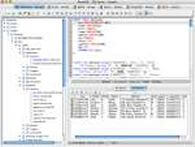
Oracle SQL and PL/SQL Editor
The Oracle SQL and PL SQL editor provided by RazorSQL includes features to make Oracle development easier. Users can easily run SQL commands manually or with a click of the mouse, and create, edit, and drop Oracle stored procedures, functions, packages, package bodies, and triggers. Auto completion and auto lookup functionality are also provided to boost productivity. Listed below are the main features of the Oracle SQL and PL/SQL Editor.
RazorSQL also offers many other Oracle tools such as a Oracle database browser, a Oracle table editor, an SQL query builder, GUI tools for managing Oracle objects and structures, and much more. See the main Oracle Features Page for more information.
SQL Editor Features
- PL/SQL syntax highlighting
- PL/SQL auto completion
- PL/SQL function lookup for built-in PL/SQL functions and the SYS packages provided by Oracle such as DBMS_OUTPUT, etc.
- SQL syntax highlighting
- Auto table lookup and completion
- Auto column lookup and completion
- Extensive find, replace, and find / replace in files functionality
- Bracket, parenthesis, and brace auto matching
- Support for parameterized queries
- SQL Formatter
- Execute, Execute Fetch All, and Execute Batch functions
- Multi-Tabular Display of Query Results
- Sortable Query Results
- Filterable Query Results
- Searchable Query Results
- SQL History for All Queries, and Query Logging Per Connection
- Query navigator for displaying a clickable display of queries in the editor
- Key Ahead functionality for one-click population of user-defined text
- Built-in and Custom User Templates
- Connection Keep-Alive
- Plugin API (Allows users to add custom functionality to RazorSQL)
The Oracle SQL and PL/SQL editor will automatically configure PL/SQL specific syntax highlighting on connection to an Oracle database. This gives users the ability to do function lookup on PL/SQL functions, etc. Upon connection to an Oracle database, the editor also activates such features as the ability to view DBMS output.